NJSLEDS Performance Report Submission
Overview
This article explains how to prepare and extract the Performance Report for the NJSLEDS Submission. Everything needed in order to download the report file is located on this Genesis screen: NJ > NJSLEDS > NJSLEDS Perf Rpt
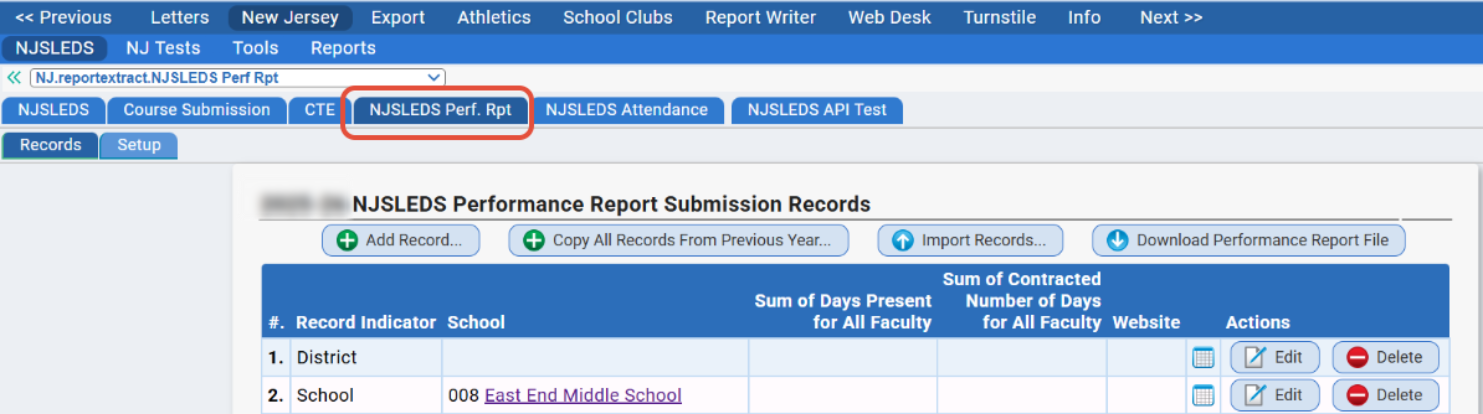
Use the Import Records... button to load in a .CSV file containing the data previously submitted to NJSLEDS.
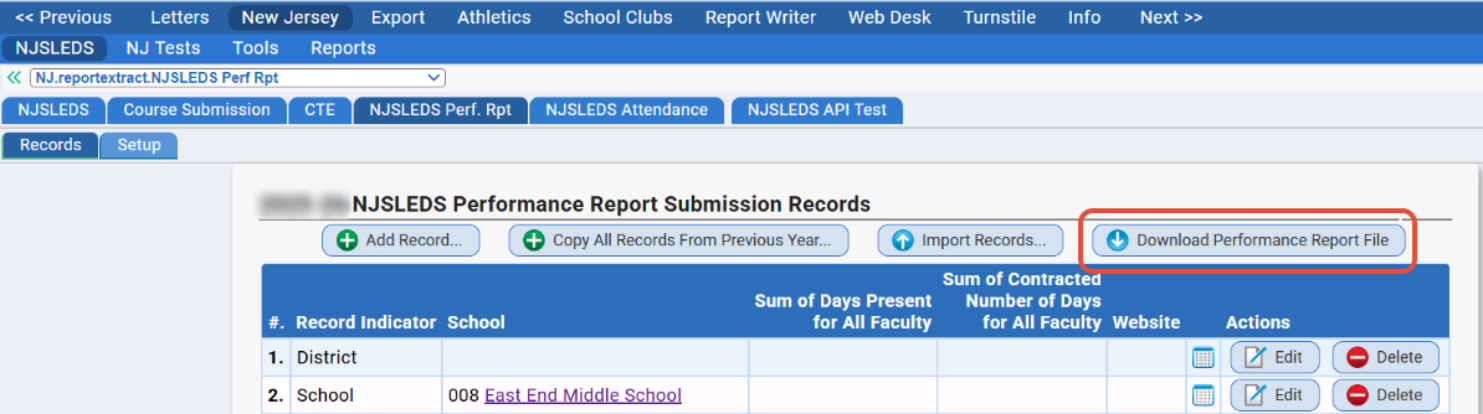
Use the Download... button to extract a .CSV file of all of the performance report data created from this screen.
Before You Begin
Please note: Although this NJSLEDS submission reports on data from the previous year, Genesis recommends creating and extracting this data from the CURRENT school year.
Please note: If your district also uses SchoolFi, the Performance Report is also located in SchoolFi under Personnel > Staff > NJSLEDS Perf. Rpt
Records
When first visiting the NJ > NJSLEDS > NJSLEDS Perf. Rpt > Records tab, there will likely be no records in place yet.
Click Add Record... to start creating a District record and School record(s):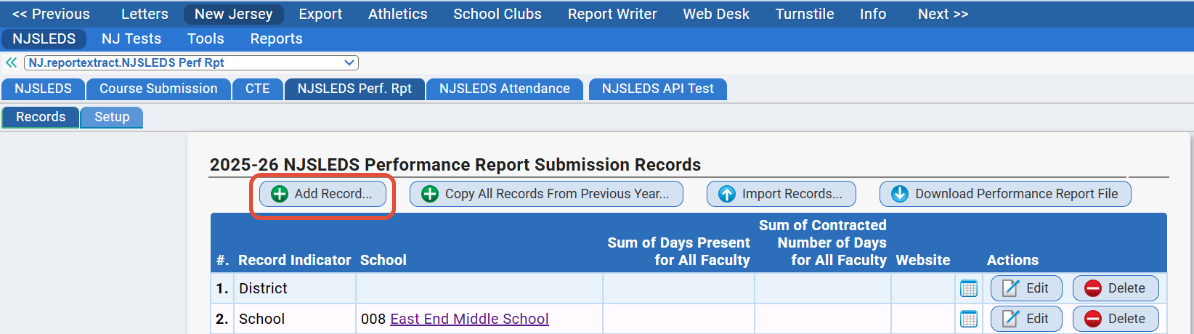
This window will appear: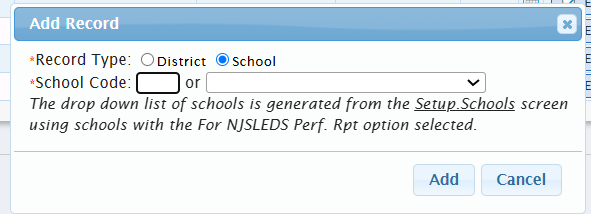
To add District Record: Fill in the bubble for "District" then click Add.
To add School Record: Fill the bubble for "School".
Once a record is created, click Edit button to open the screen where the performance data gets entered for the report file.
Then, fill out each of the fields as necessary: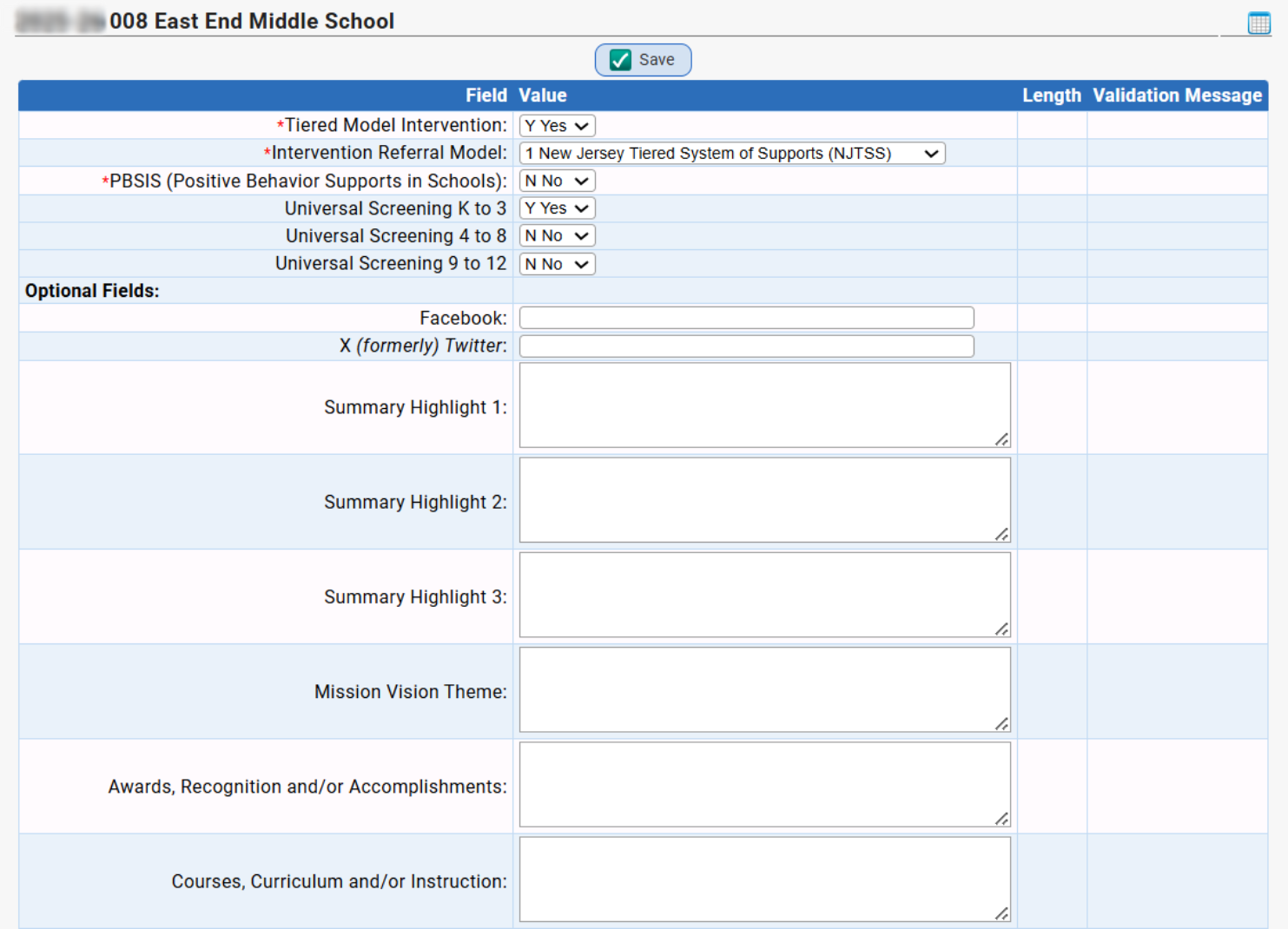
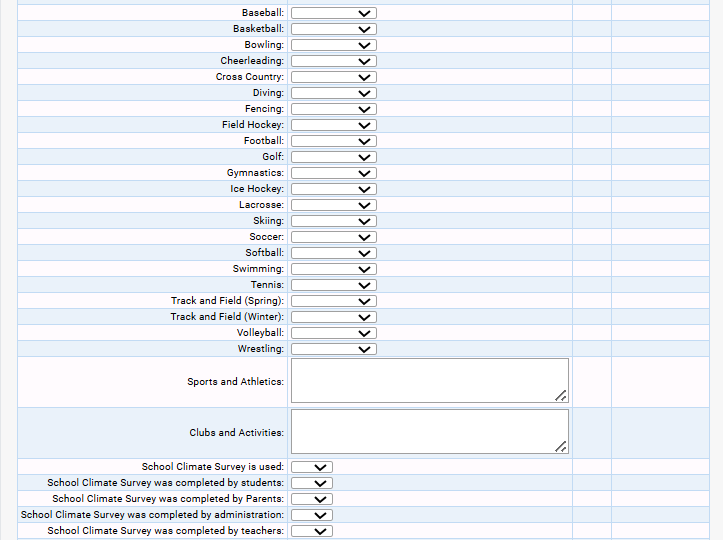
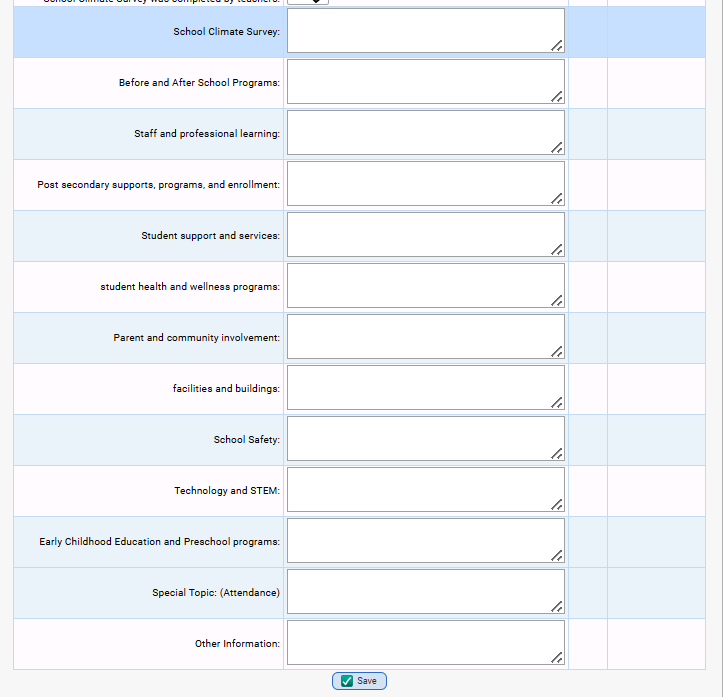
Remember to click Save when finished editing each District or School record.
After all of the necessary District and School records are in place with the entered information, generate a file by clicking the Download Performance Report File button:
Setup
This helpful setting can be used when building-specific administrators are separately preparing the Performance Report for their individual schools.
The NJ>NJSLEDS>NJSleds Perf Report>Setup tab contains a security option for districts to use, if the screen should filter out any schools the user does not have access to: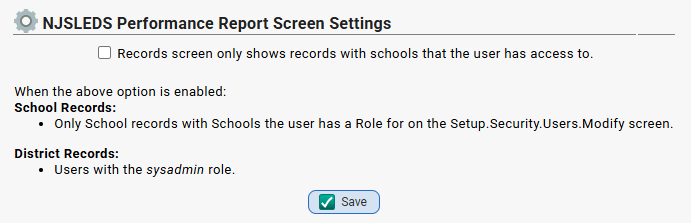
Also, District Records can only be maintained by users with the sysadmin role with this setting enabled.
See Also
For the NJSLEDS site with Performance Report info, click here.
Was this article helpful?
That’s Great!
Thank you for your feedback
Sorry! We couldn't be helpful
Thank you for your feedback
Feedback sent
We appreciate your effort and will try to fix the article