TABLE OF CONTENTS
Related
Updating Teachers and Historic Teachers on a Course Section
The gradebook exists independent of the teacher assigned to it.
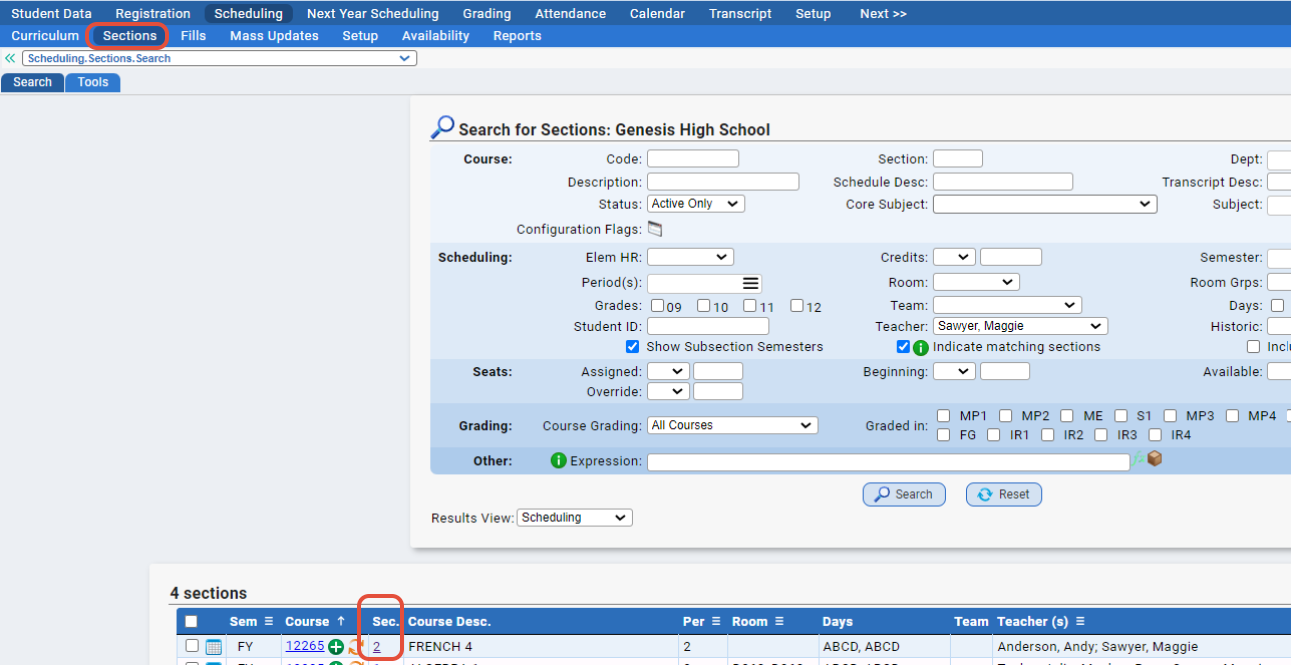
To change the teacher, you need to go to Scheduling>Sections and pull up the section in question by clicking into the section number.
Once you're there, you can click the orange icon to swap out the teacher's name in the “Teacher” dropdown on the Subsection to the new teacher that is taking over - a pop up will appear for you to select the new teacher. You can also set the original teacher as the Historic Teacher if you check off "Add (Teacher Name) as a Historic Teacher."
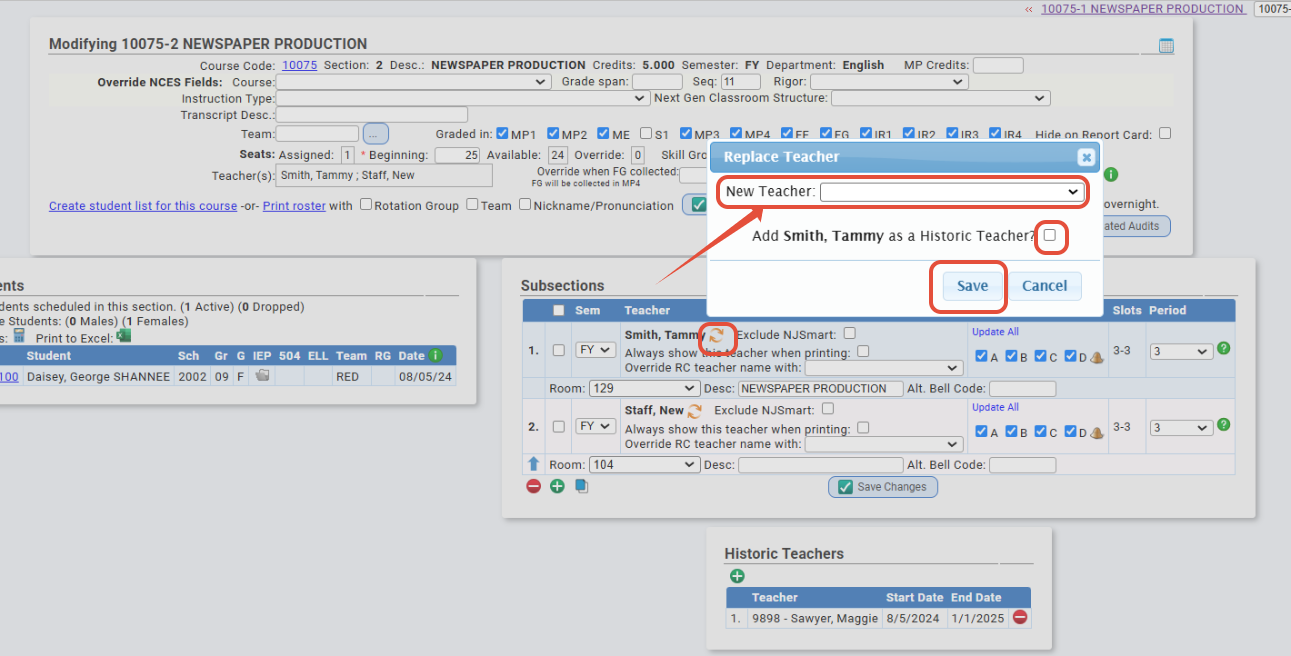 Click SAVE to save your changes.
NOTE: When a NEW teacher is replacing a former teacher of the section, we strongly encourage using the 'change' procedure above. Do not delete subsection #1 and re-add with the new teacher. This may cause issues with Gradebook profiles. If subsection #1 is updated instead of deleted, the new teacher will resume using the same Gradebook Profile as the previous teacher. Deleting the first subsection may cause the gradebook profile to be reset. Click Here for more information on setting up teacher Gradebook profiles.
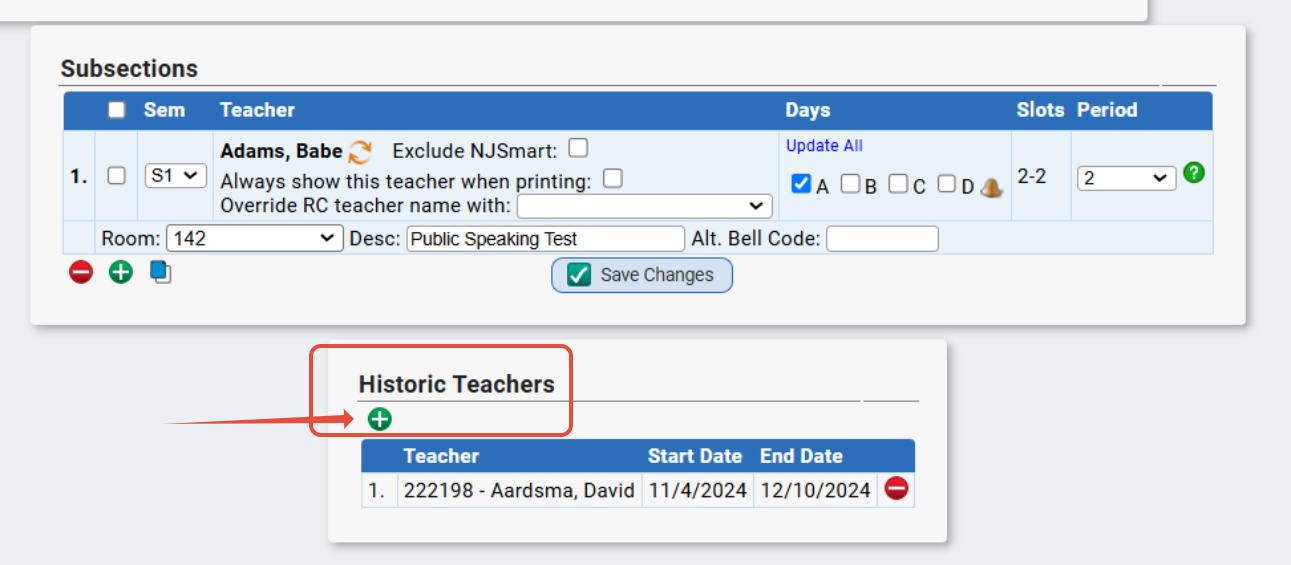
To manually add a historic teacher, you can click the green plus sign in the “Historic Teacher" area.
The screen will then allow for you to select the teacher and the dates they taught.
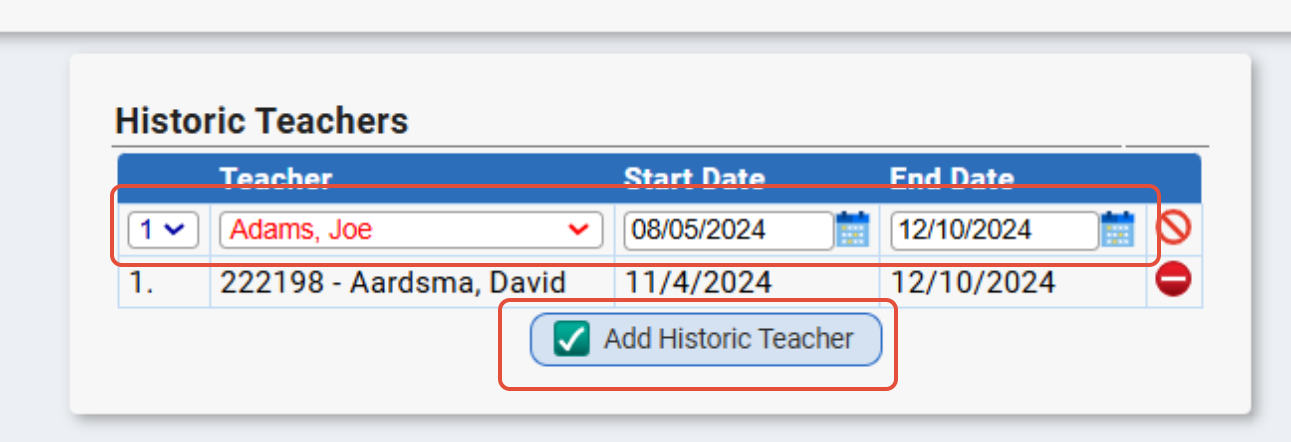
Once you’ve entered the info, click “Add Historic Teacher" to save.
NOTE: Only Active staff members or Inactive staff members who were inactivated within the last two school years will appear in this list.
Mass Set Teachers for 202X-2X Tool
There is an "Add Current Teacher as a Historic Teacher" checkbox on this tool that would allow you to set the original teacher on the subsection as the historic teacher as you run it. This tool is found via Scheduling>Sections>Tools.
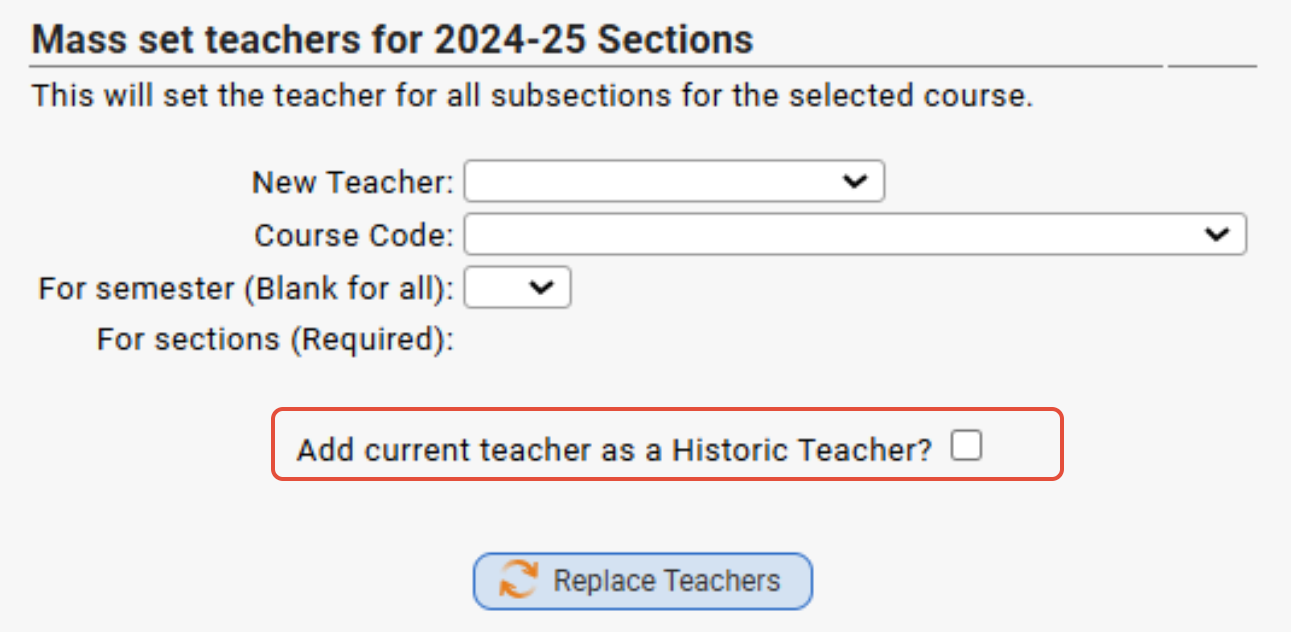
See Section Tools for more information on this tool.
Was this article helpful?
That’s Great!
Thank you for your feedback
Sorry! We couldn't be helpful
Thank you for your feedback
Feedback sent
We appreciate your effort and will try to fix the article