To allow documents to be uploaded into students' HIB investigation, there must be document type set for "HIB Incidents."
To set this up, create a Document Type via Doc Mgmt>Setup>Document Types that has "IHP" selected for the "Can be used in" parameter: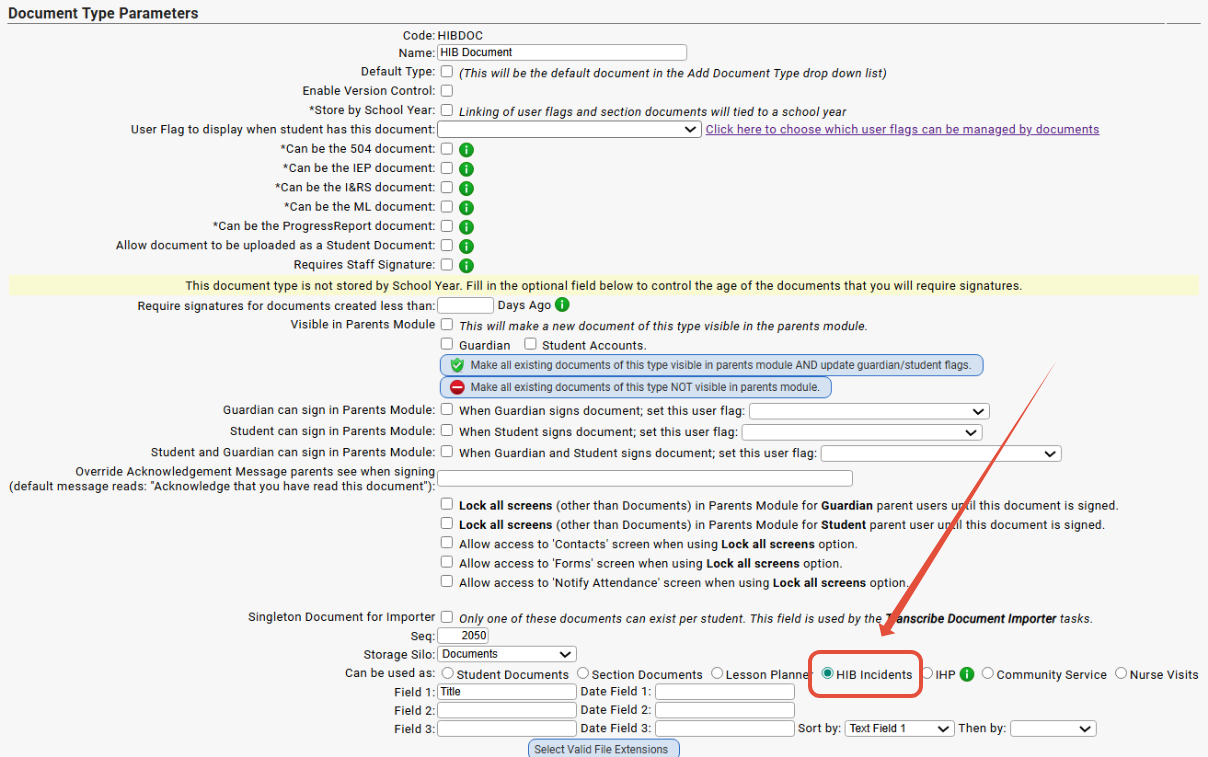
Once you have this Doc Type set up, you will be able to upload a supporting document to the HIB Investigation in the "Documents" section of the screen:
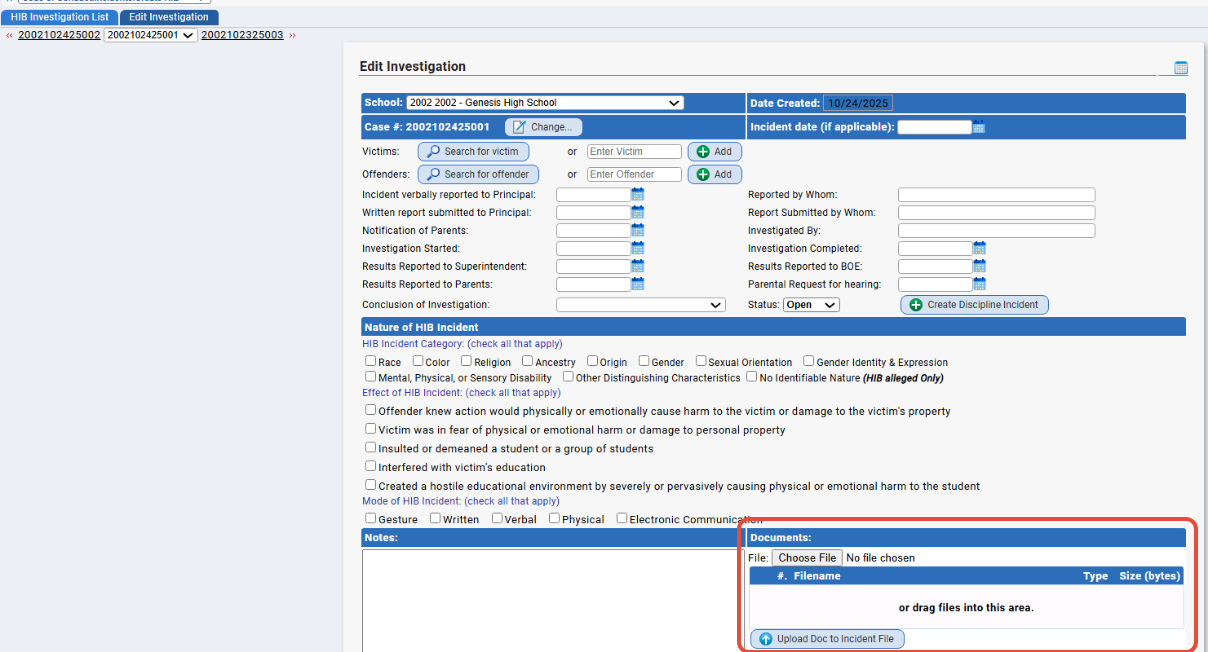
NOTE: Currently, you can upload documents to HIB Investigations in the system but you cannot upload documents to regular Conduct incidents.
Was this article helpful?
That’s Great!
Thank you for your feedback
Sorry! We couldn't be helpful
Thank you for your feedback
Feedback sent
We appreciate your effort and will try to fix the article