TABLE OF CONTENTS
- Parent Form with an "Upload Document" Question Type
- Document Types for Student Documents
- User Access to Uploaded Documents
- What Parents Will See
Parent Form with an "Upload Document" Question Type
Documents can be uploaded into Parent/Student Forms. The response type of "Document Upload Form" causes an "upload document" control to be displayed: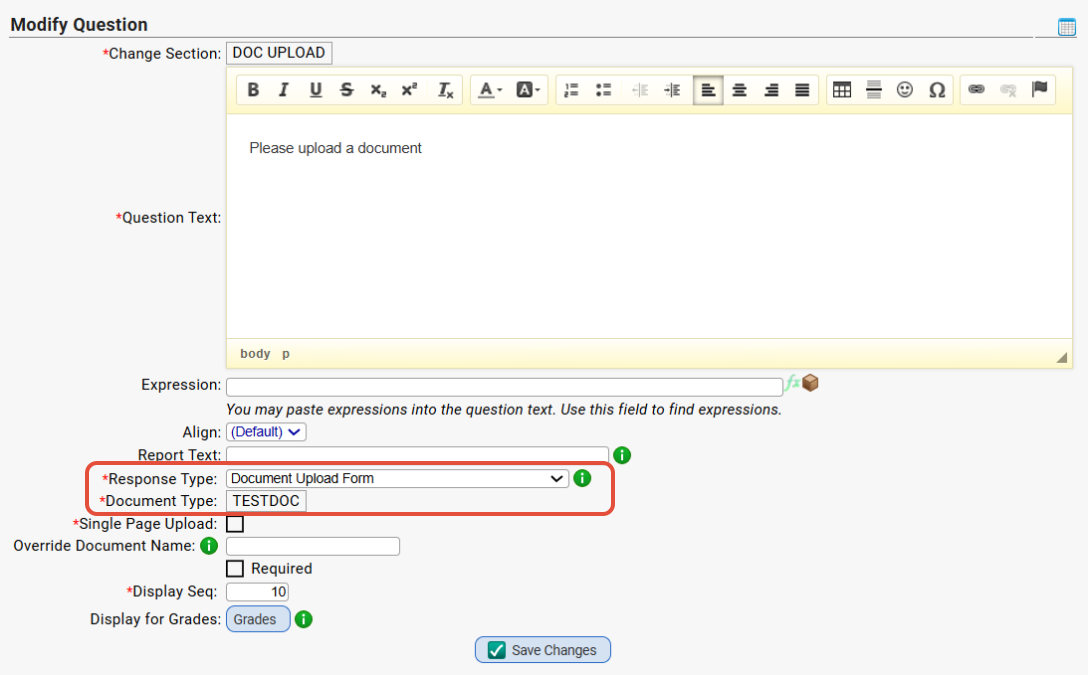
This response type prompts parent user for a document to upload. Parent may load multiple pages into the form if their document is saved in more than one singular file.
Note: If the report text field is filled out, it will be used to name the uploaded document. Otherwise the document type will be used. You can also override it by using the "Override Document Name" field on the Parent Form question screen.
User access to Forms created from this Form template is controlled by the Roles that are able to see the Form:
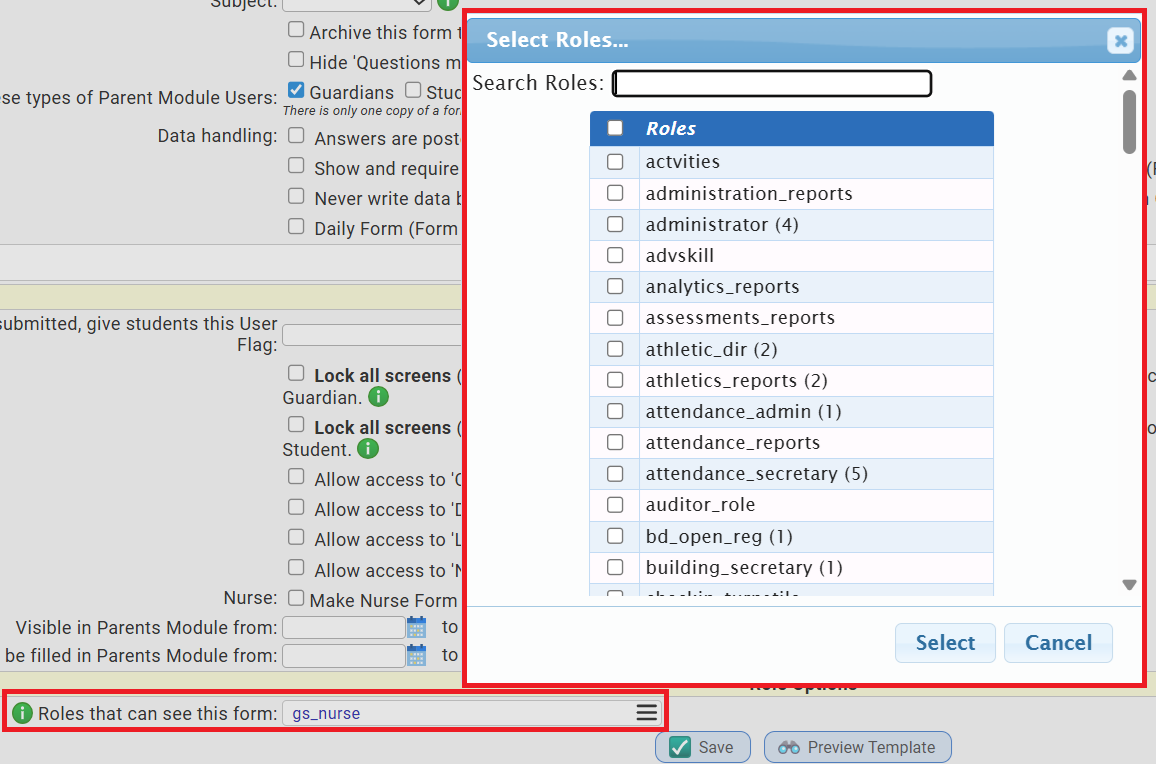
This Role access also controls access to the Documents that are uploaded into the Form.
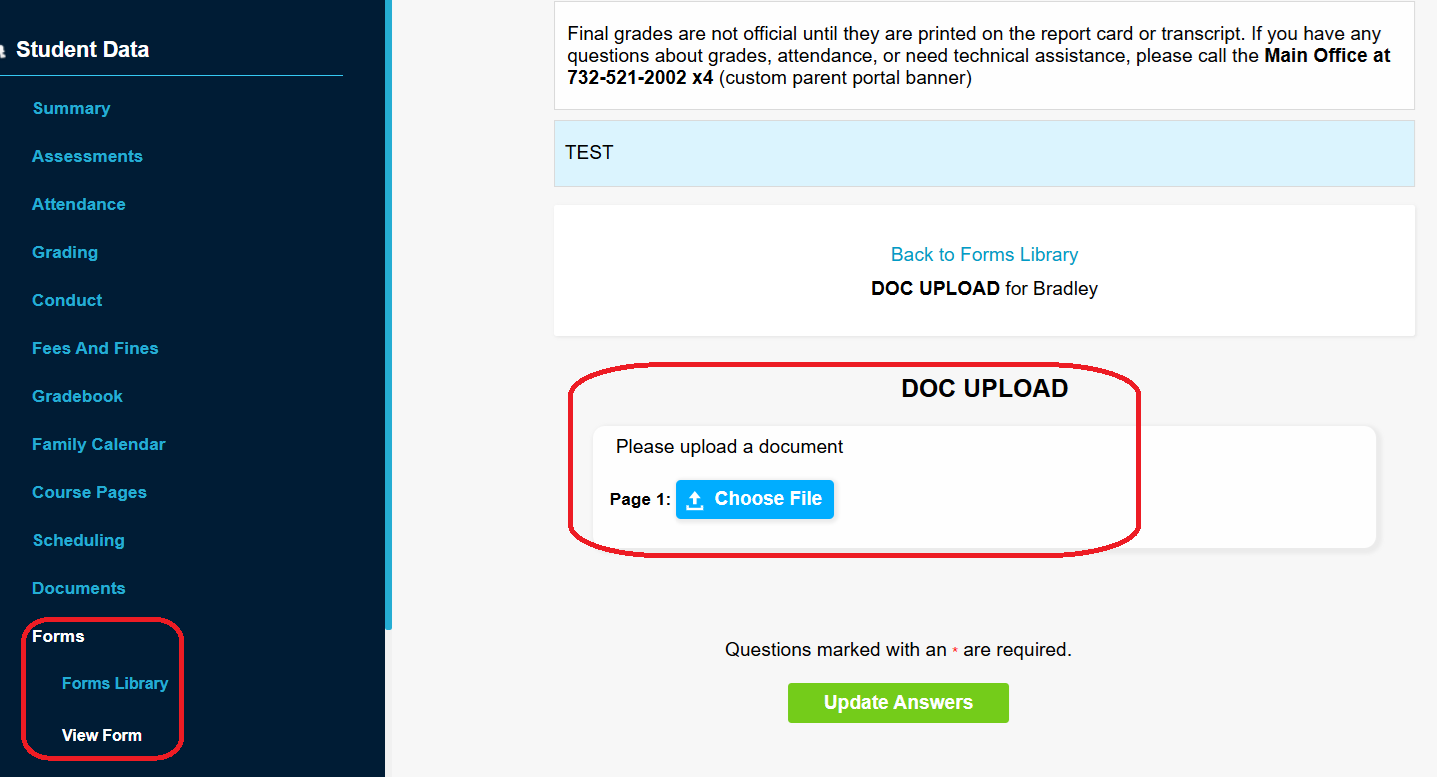
Parents/Students answering the Form are able to upload a document into this type of question:
How to Use This Feature
- Go to modify an existing parent form or create a new form on the Parent Access>Form tab.
- Create a new question or modify an existing question via Parent Access>Forms>Templates>Questions.
- On the Parent Access>Forms>Templates>Modify Question tab, you will select "Document Upload Form" in the "Response Type" dropdown.
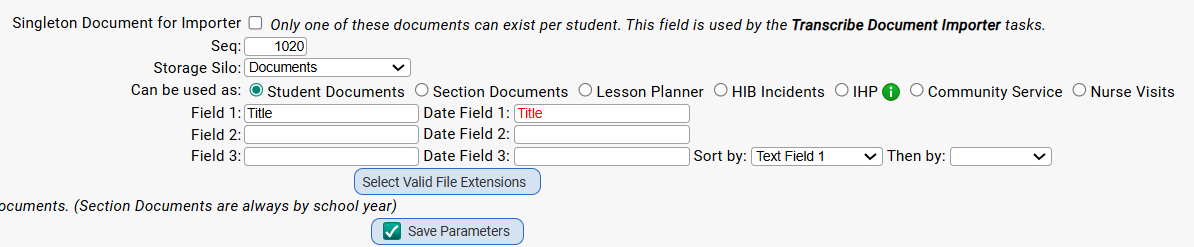
- Once you select "Document Upload Form" as the 'Response Type,' it will enable another option where you must select from one of your Document Types that are labeled as 'used for student documents'. You can review you Doc Types for this option via Doc Mgmt>Setup>Modify Document Type:
- You can optionally mark that question as 'required' and it will function like any other required question on a form. The form cannot be submitted without the document attached.
Document Types for Student Documents
User access to documents of a Document Type is also controlled by Role permissions attached to the Document Type:

Multiple Roles can be linked to a Document Type. Users with a Role granted access has the specified permissions. Other users cannot access documents of this Document Type.
User Access to Uploaded Documents
When you use the "Document Upload" question type in Parent Forms and a parent uploads a document, users who need to see the uploaded documents must:
- Have permission to see/open the Parent Form into which the document was loaded and
- Permission to access the Document Type of the uploaded doc itself.
It is not enough to have permission to access the Document Type (that is, to access documents of Type 'Document Type'), nor is it enough to have access to the Parent Form. Users must have access to both to be able to see the uploaded documents.
What Parents Will See
- Parents will need to navigate to the Forms tab in the Parent Portal as they normally would and locate the Form with this question.
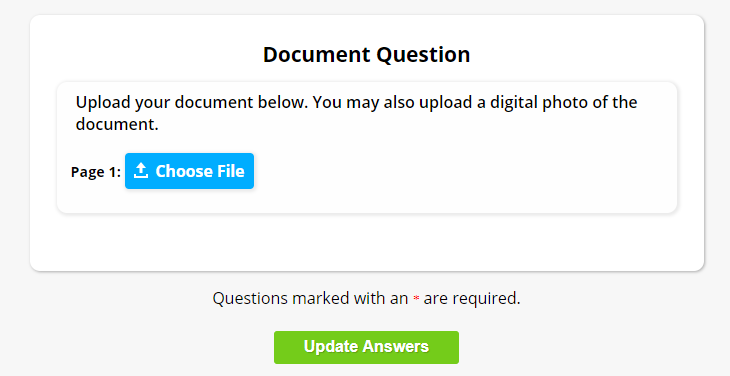
- When a parent fills out the form, they will see this question, and below they will see an 'choose file' button.
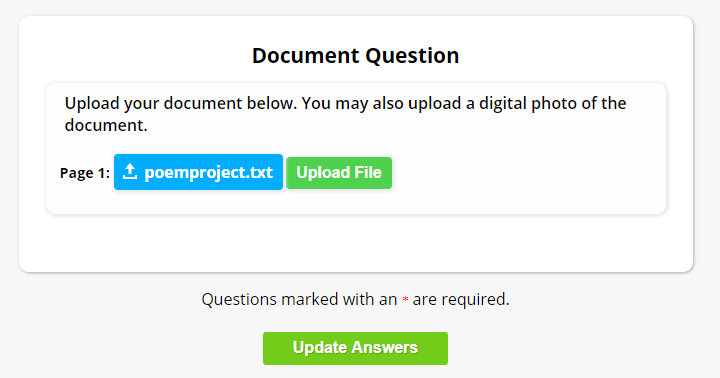
- Once they browse for the file on their computer and select it, they will then see a button for "Upload File" which will save it.
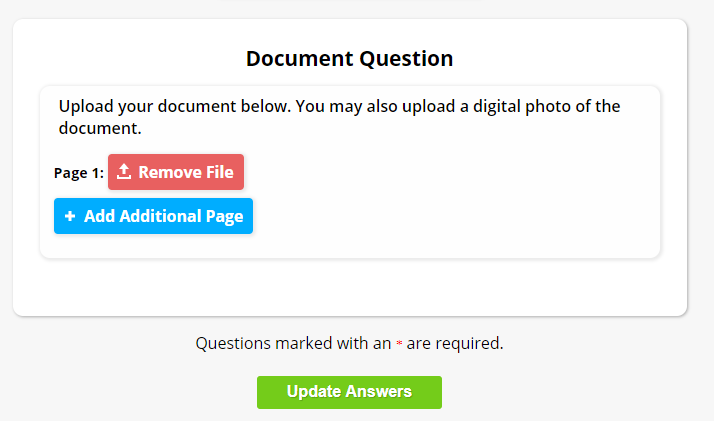
- After it's attached successfully, that's when they will be presented with an "Add Additional Page" button.
- The Document Type doesn't have to be setup any special way to allow this.
- As soon as the parent submits the Form, that's when the new document will be uploaded to the student's "Documents" tab, under the specified Document Type.
Was this article helpful?
That’s Great!
Thank you for your feedback
Sorry! We couldn't be helpful
Thank you for your feedback
Feedback sent
We appreciate your effort and will try to fix the article