TABLE OF CONTENTS
Copying Assignments Across Teachers and Schools
It is possible to copy your assignments to a different teacher's gradebooks in either the same or another school. It is not possible to copy assignments from another teacher in a different school, but they of course can copy their assignments to your gradebooks.
This copy is possible not on a "copy" screen, but on the Gradebook>Assignments>Assignment List screen.
How to Copy Your Assignments to Another Teacher in a Different School
- Go to the Gradebook>Assignments>Assignment List screen:
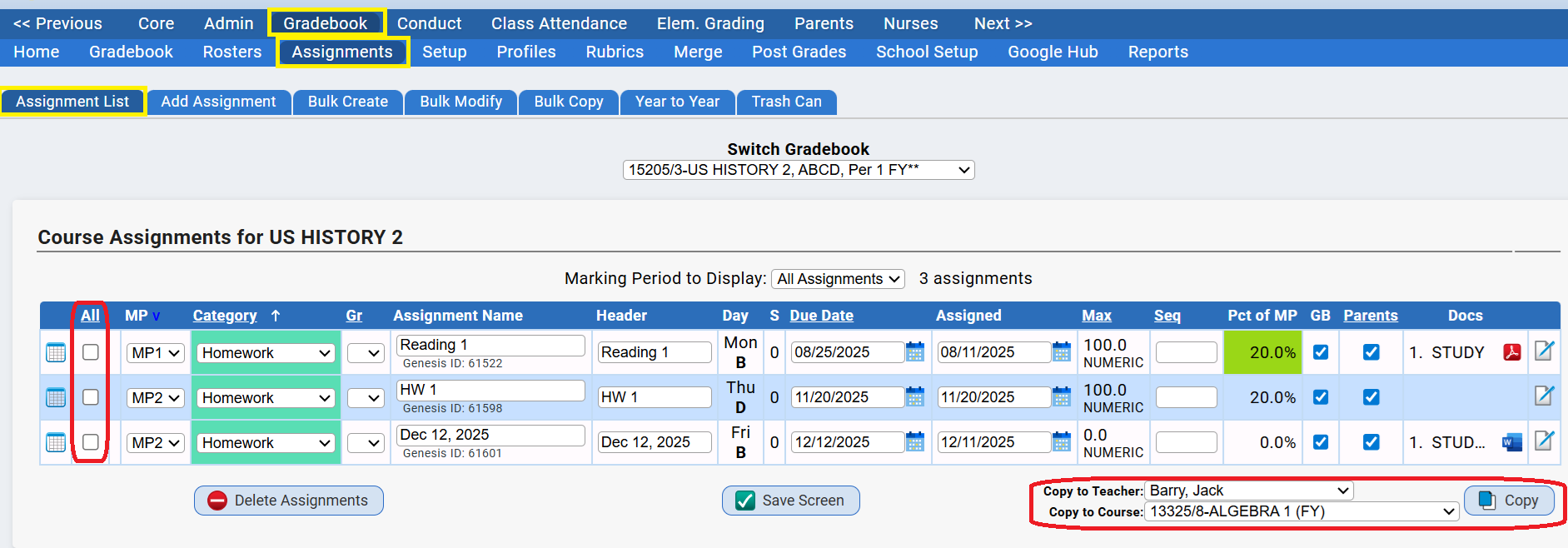
- At the bottom right hand corner of the screen, there is a "Copy to" set of controls:

- Check off the assignments you want to copy:

- Select the teacher you want to copy the checked assignments to.
 This will cause the "Course" drop down to be populated with all of that teacher's gradebooks. The top part of the list - if it exists - will contain their gradebooks in the "current school" (the school selected in the screen header). The bottom part of the list will contain their gradebooks in all "other schools":
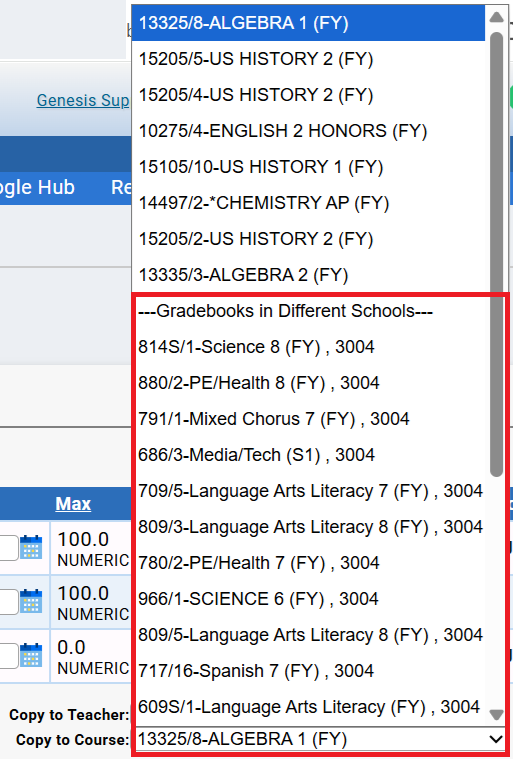 Changing the teacher selected in the "Copy to Teacher" drop down changes the list of courses available in the "Copy to Courses" drop down. The "Copy to Teacher" drop down contains a list of all teachers who have gradebooks in the district.
 - Select the Gradebook to copy the assignments to:

- Click the Copy button to do the actual copy. If you are using Google Classroom, you will get a Google Classroom option:
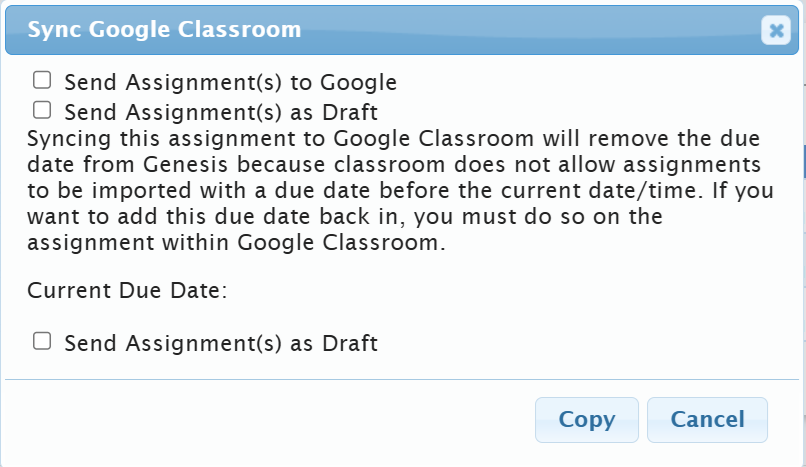 Check the options as appropriate for yourself.
 - Click this Copy button to continue and do the actual copy. There is no verification message.
Warnings and Restrictions
Note that you can only give assignments away (that is, copy them TO and other teacher). It is not possible to copy another teacher's assignments to your own Gradebooks, (that is FROM another teacher, unless you are already linked to their "teacher" structure).
It is only possible to do this with "current year" assignments that appear on your Gradebook>Assignments>Assignment List screen. "Current year" is the year selected in the screen header: 
Copying Prior Year Assignments to Another Teacher's Current Year Gradebooks
This cannot be done directly. It can be done in two steps:
- You can copy your prior year assignments to one of your current year gradebooks.
- You can then use the procedure above to copy these to another teacher's gradebook, regardless of school.
- Optionally, you can then remove the assignments from your current year gradebook.
Was this article helpful?
That’s Great!
Thank you for your feedback
Sorry! We couldn't be helpful
Thank you for your feedback
Feedback sent
We appreciate your effort and will try to fix the article