Overview
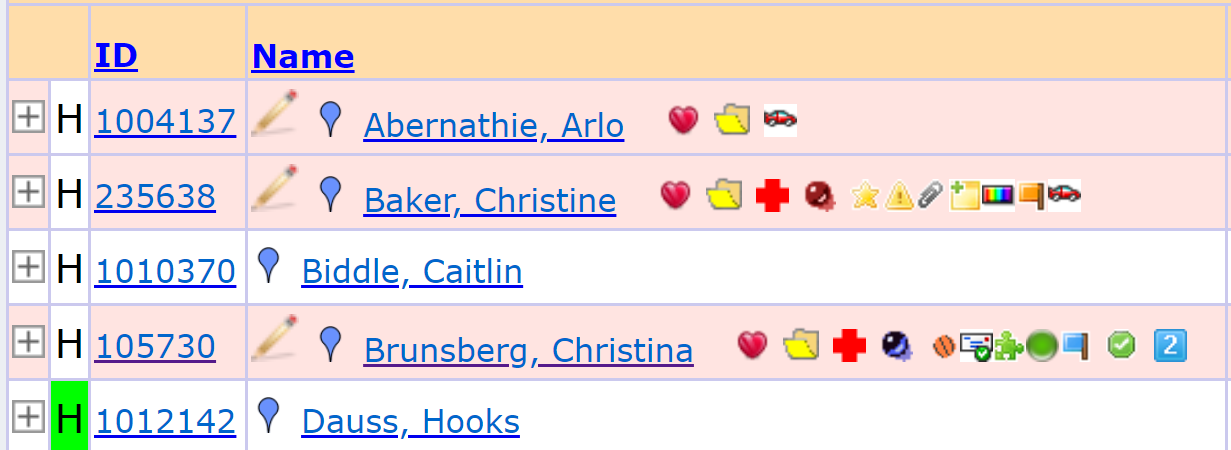
It is possible to have teachers sign off that they have read a student's IEP. When this feature is enabled, students with an active IEP appear on the Gradebook spreadsheet (Gradebook→Gradebook) highlighted in red. Use the pencil icon next to the student's name to open the signature screen.
Before you begin, the feature must be configured and the teacher must have set up their signature.
Recommended guides to begin with:
Staff Signatures and Signatures - These articles detail how to enable and store staff signatures
Requiring Teachers to Sign IEPs - This article explains how to enable the IEP signature requirement
After the setup is complete, proceed below to review how IEP documents are signed from within the Gradebook...
Signing the IEP
Clicking the  pencil icon brings up the student's signature screen (Gradebook→Gradebook→Signatures).
From this screen the teacher can see all student records that require their signature:
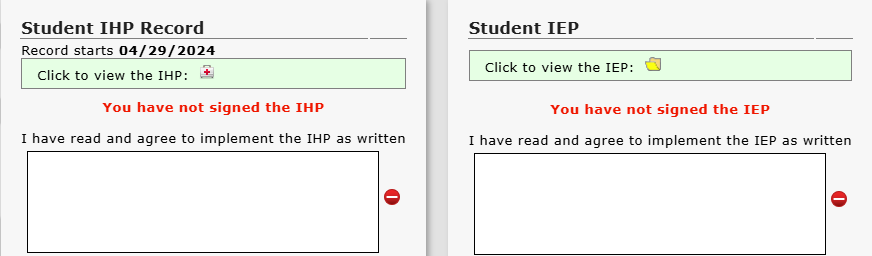
From here the teacher can sign the IEP. Simply clicking the  button signs the IEP (if the teacher has set up a signature):

Configuring the Sign IEP Option
Information on configuring this option can be found here.
Was this article helpful?
That’s Great!
Thank you for your feedback
Sorry! We couldn't be helpful
Thank you for your feedback
Feedback sent
We appreciate your effort and will try to fix the article