*The Genesis Metrics module is currently in development and running in BETA for select districts.*
Genesis Metrics provides an Early Warning Dashboard that empowers school staff to quickly identify students who may be at risk of dropping out or not progressing to the next level of schooling. By monitoring our Early Warning Indicators, schools can detect when students begin to fall off track and intervene early to improve outcomes. All metric panels allow users to click directly into charts and drill down to view the individual students included in each category.
The full Metrics module is broken into the following categories:
- Early Warning Dashboard (covered in this article)
- Assessment Dashboard
- Enrollment Metrics
- Student Detail
Early Warning Dashboard
The Early Warning Dashboard system is built around the "ABC" Early Warning framework and consists of three tabs:
- A - Attendance: monitoring student presence & punctuality.
- B - Behavior: tracking disciplinary incidents and behavioral trends.
- C - Course Work (Classwork): evaluating academic progress and projected performance.
This dashboard serves as the central hub for visualizing and analyzing student risk indicators. Each tab displays configurable metric panels (widgets). Users can customize their view by selecting specific widgets through the Show Widgets option.
Additionally, the dashboard supports filtering by School and School Year, Class Of, Grade, Race, Gender, 504, F/R, Gifted, ML, Spec Ed, Student List, Active, SCED Subject + Teacher + Course, ensuring that data being displayed remains relevant.

Early Warning Dashboard > Attendance
The Attendance tab will display student attendance data in your selected Metrics widgets. This tab focuses on student presence and engagement in the classroom. Insights provided on the Attendance page will allow educators to identify attendance-related challenges and implement corrective measures. If attendance is slipping, you'll see it here.
Key Attendance widgets include:
- Absentee Rates: displays patterns of student absences across various time frames.
- Missed Time Class Attendance: displays Class Attendance data.
- Missed Class Time Turnstile: highlights instructional time lost based on Turnstile out-of-class data.
- Missed Time Attendance Combined: combines both Class Attendance data with Turnstile data to get a full picture of time out-of-class.
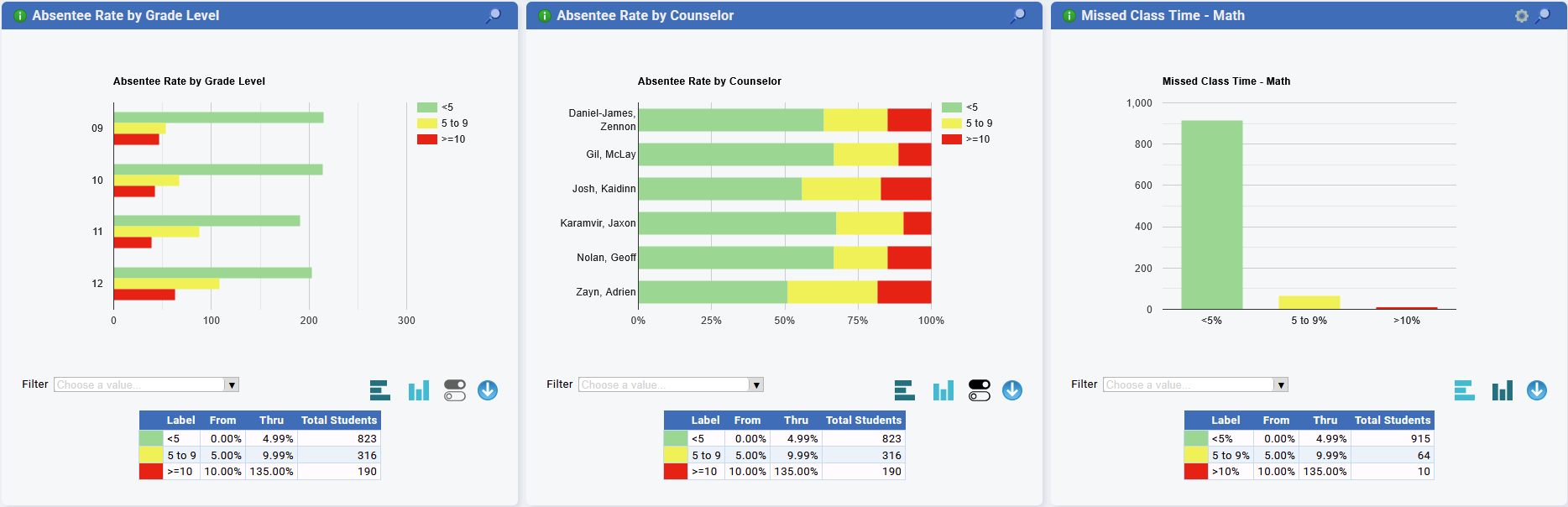
Attendance Widget - Panels
Built-In Widgets
- Our built-in widgets can be selected/sorted by:
- Grade Level
- Counselor
- Gender
- ML (Multi-Lingual)
- Race
- Gifted Status
- Additional Widgets have been added for all SCED Course Codes for:
- Missed Class Time Turnstile
- More to come!
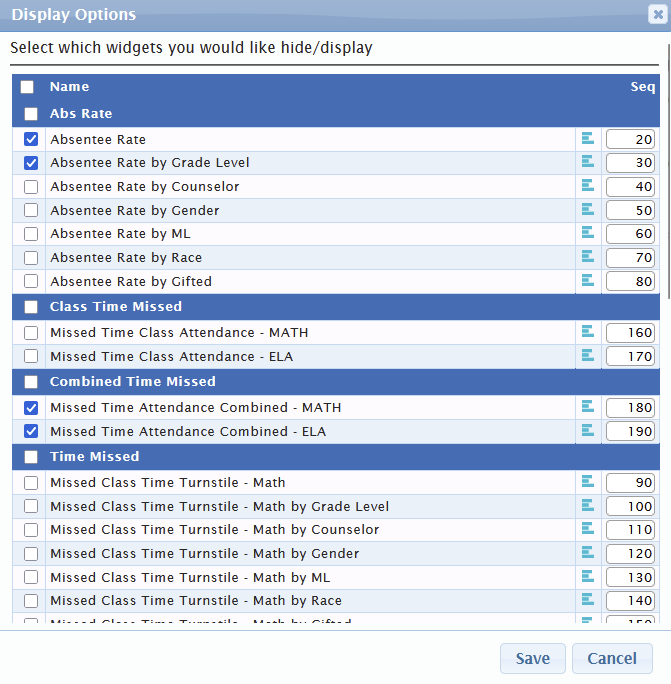
Attendance Widgets - Display Options
Early Warning Dashboard > Behavior
Behavioral trends often serve as early indicators of academic risk. The Behavior tab will display student behavior data in your selected Metrics widgets. If a student's behavior is trending in the wrong direction, this is where you'll catch it.
Key Behavior widgets include:
- Behavior Incidents: displays the frequency and nature of disciplinary issues.
- Behavior Actions: analyzes and tracks actions & interventions.
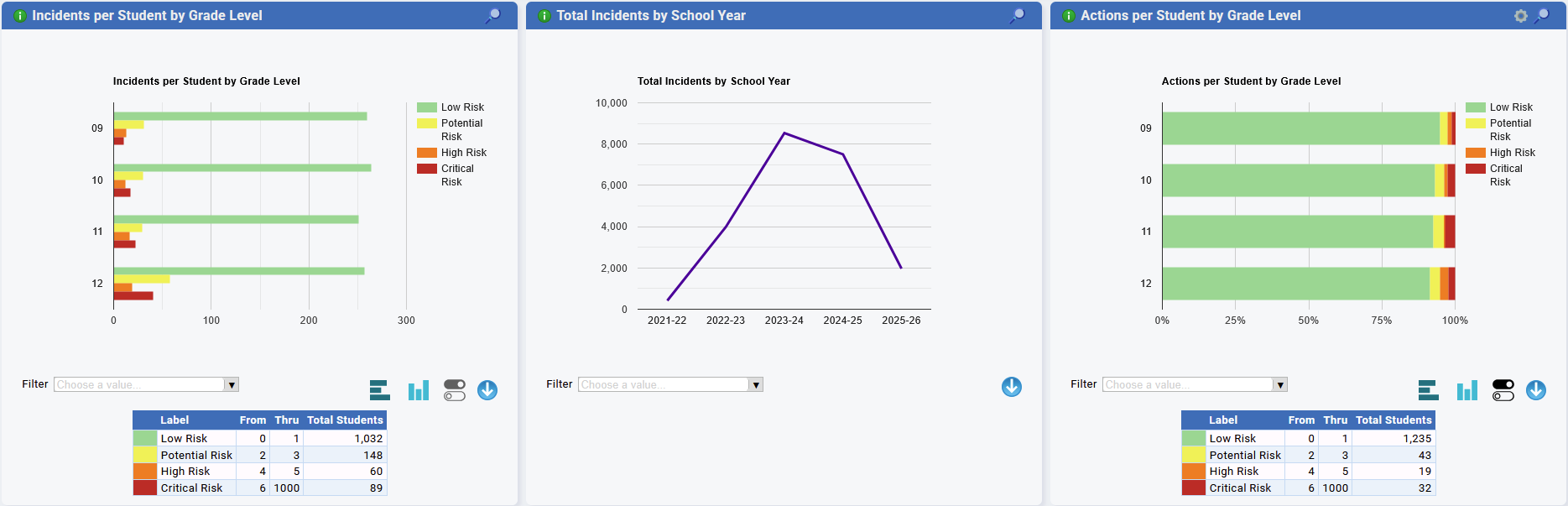
Behavior Widgets - Panels
Built-In Widgets
- Our built-in widgets can be selected/sorted by:
- Grade Level
- Counselor
- Gender
- ML (Multi-Lingual)
- Race
- Gifted Status
- Additional Widgets have been added for:
- Total Actions by School Year/Quarter
- Total Incidents by School Year/Quarter
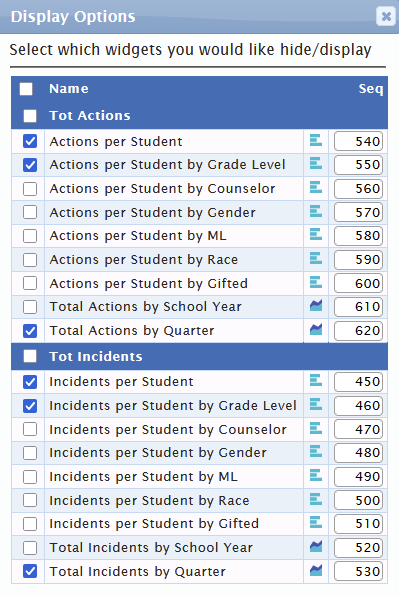
Behavior Widgets - Display Options
Early Warning Dashboard > Class
Academic performance is essential to students success. The Class tab will display student classwork data in your selected Metrics widgets. This feature will help school staff identify students who may need academic support before grades are finalized.
The Class tab currently includes widgets for:
- Projected Final Grades: estimates end-of-year performance based on current grade trends.
Projected Final Grade Logic
- Charts show Projected Student Final Grade Averages for ELA and Math courses.
- If a student is enrolled in multiple ELA or Math courses, all courses are included and weighted evenly.
- If a course already has a Final Grade, that grade is used as the projected final grade for that course.
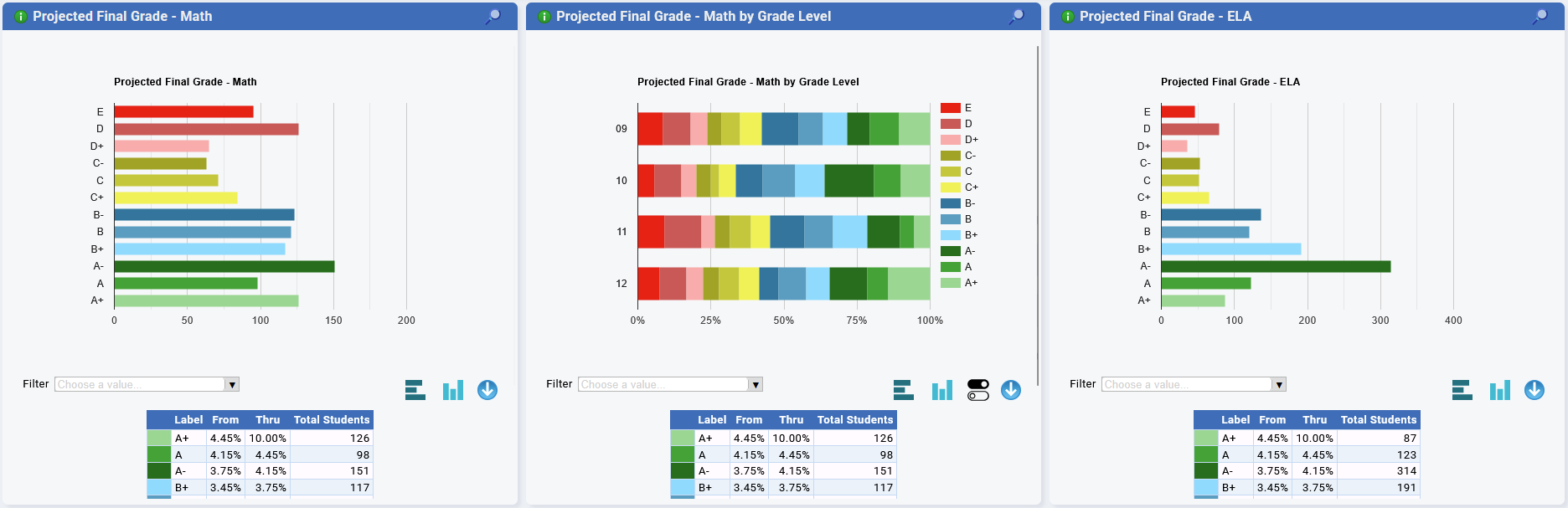
Class Widgets - Panels
Built-In Widgets
- Our built-in widgets can be selected/sorted by:
- Grade Level
- Counselor
- Gender
- ML (Multi-Lingual)
- Race
- Gifted Status
- Additional Widgets have been added for all SCED Course Codes for :
- Projected Final Grade
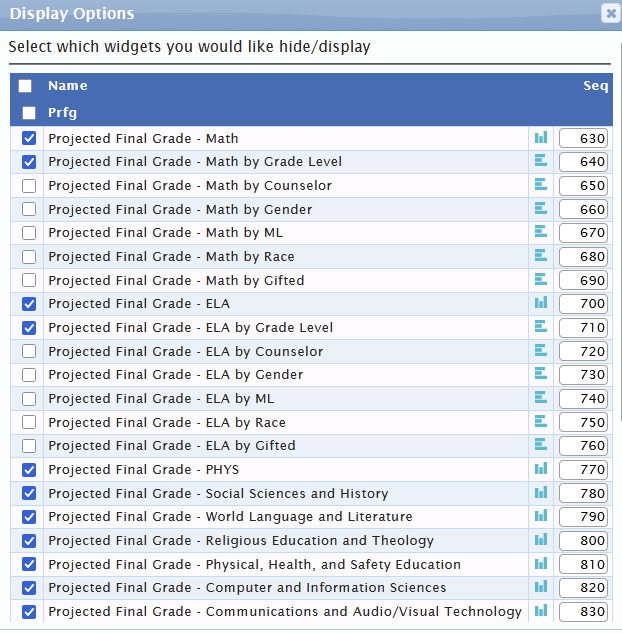
Class Widgets - Display Options
Additional Zoom Functionality
- Added ability to "zoom" in on charts for Early Warning Dashboard
- You can use all the same filters.
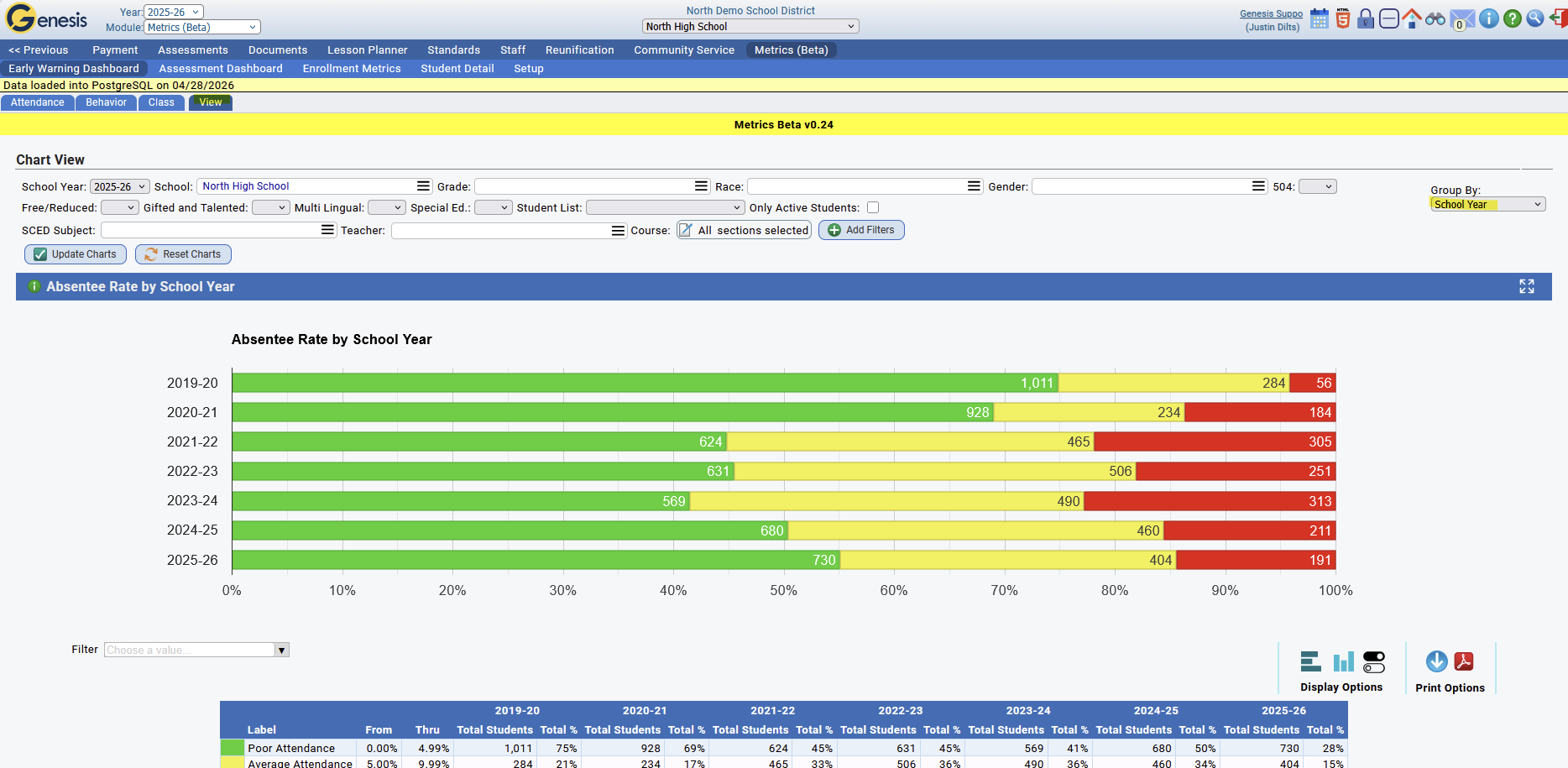
- You can adjust the groupings on the below View dashboard
- School Year grouping shows historic data going back 6 years
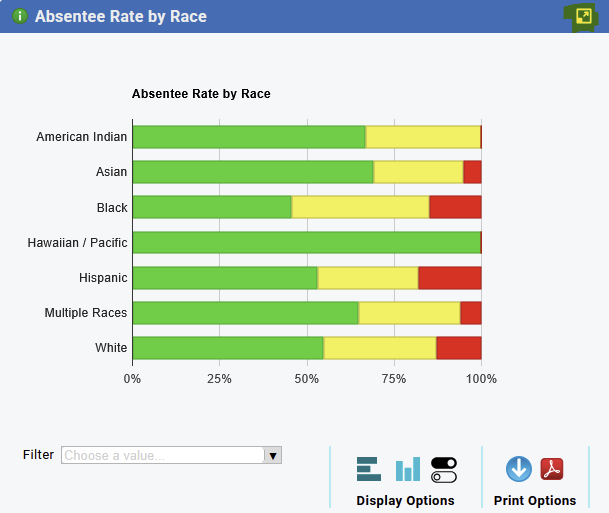
- To zoom on a chart, use the top-right expand icon, shown below:
- You will then be brought to the View tab where you can group the chart using different filters:
Additional Advanced Filters

- The Metrics module now includes filtering by Class Of, Grade, Race, Gender, 504, F/R, Gifted, ML, Spec Ed, Student List, Active, SCED Subject + Teacher + Course.
- SCED Subject + Teacher + Course are connected to one another, selecting a subject will only display teachers in that subject. Selected teachers will only display courses that they teach.
SCED Subject + Teacher + Course is a special filter that allows you to filter out students who have been in a specific sced subject, had a certain teacher, or took a certain course section. By Selecting a SCED subject the teacher filter will only show teachers who teach that subject, for example Algebra 1 will only show Algebra 1 teachers. Additionally, the Course filter will then only show courses for those teachers for all school years. You can then select those courses by course code, teacher id, school year, and/or the school they were taught in.
Was this article helpful?
That’s Great!
Thank you for your feedback
Sorry! We couldn't be helpful
Thank you for your feedback
Feedback sent
We appreciate your effort and will try to fix the article