TABLE OF CONTENTS
- Athletic Settings Screen
- Parent's Module Athletic Settings Screen
- The Allow Health History Uploads Parameter
- Automatically Updating Health History Form Status on Upload
- Requiring Manual Approval for Health History Update Forms
Athletic Settings Screen
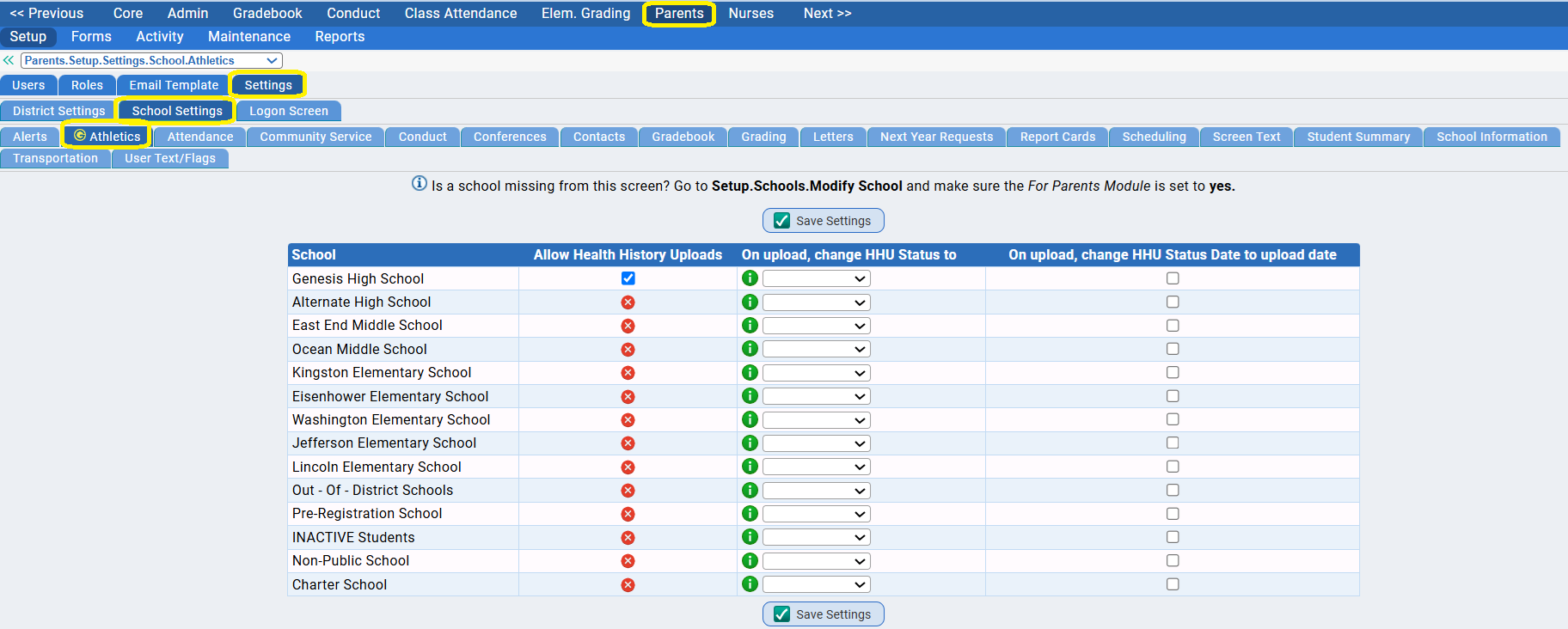
Currently, this screen is exclusively about the handling of the NJ Health History Update Form, answering the following questions:
- Can the Health History Update Forms be uploaded from the Parent Module? Can parents/guardians upload them directly?
- If the forms are uploaded can the students' "Health History Update Form" settings on their Sport Particiation records on their Student Data->Modify Student->Athletics->Exams and Participationscreen be automatically updated to indicate a form was uploaded?
- Can the "Status" field be updated? And what should it be set to?
- Can the "Completed" (date) field be updated?
This article describes the controls on the Parents->Setup->Settings->School Settings->Athletics screen and how they affect Health History Update Form handling.
Health History Update Forms Handling in Genesis
NJ DoE Athletics Health History Update Form Information
Health History Update Forms and the Ability to Automically Update Settings
The NJ DoE Health History Update Form is a medical form. As such, it cannot be automatically approved - it must be reviewed by a staff member (presumably a school nurse) and manually approved.
The Athletics Settings screen controls whether Health History Update Form uploads are allowed, and whether or not to automatically update their status & date settungs on the student's record if they are uploadeded. The goal of automatically updating Health History Update Form status is not to approve the form, but to make it easy to identify (e.g. in searches).
The "Auto Update" settings discussed below are not designed to automatically approve these forms but rather to call them out to staff members who need to review them.
Parent's Module Athletic Settings Screen
The Parents->Setup->Settings->School Settings->Athletics Screen:
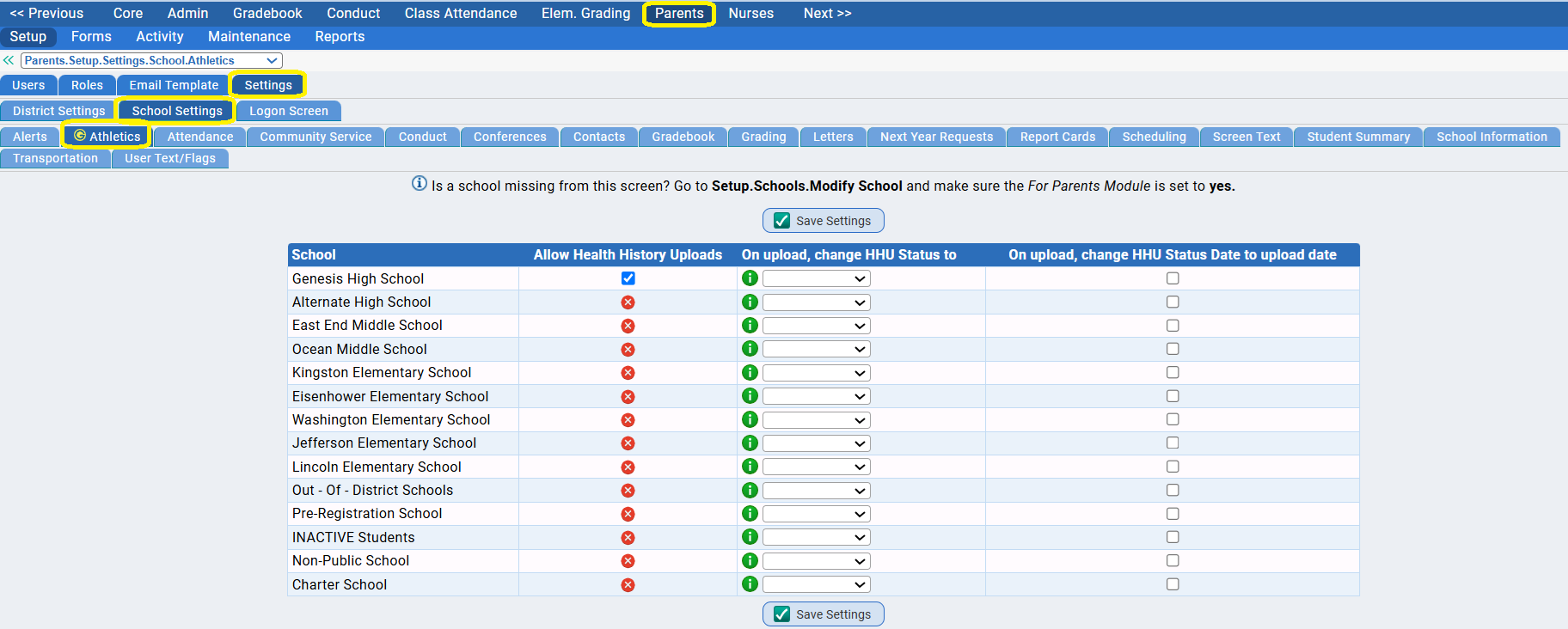
This screen controls the handling of the Health History Update Form when uploaded from the Parent Module.
There are three parameters for each school:
- Allow Health History Uploads
- On upload, change the HHU Form Status to:
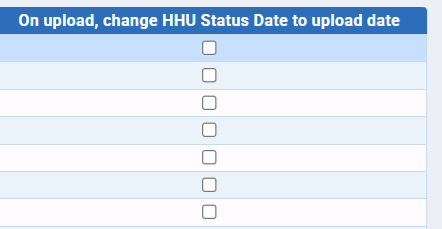
- On upload, change HHU Status Date to upload date
The Allow Health History Uploads Parameter
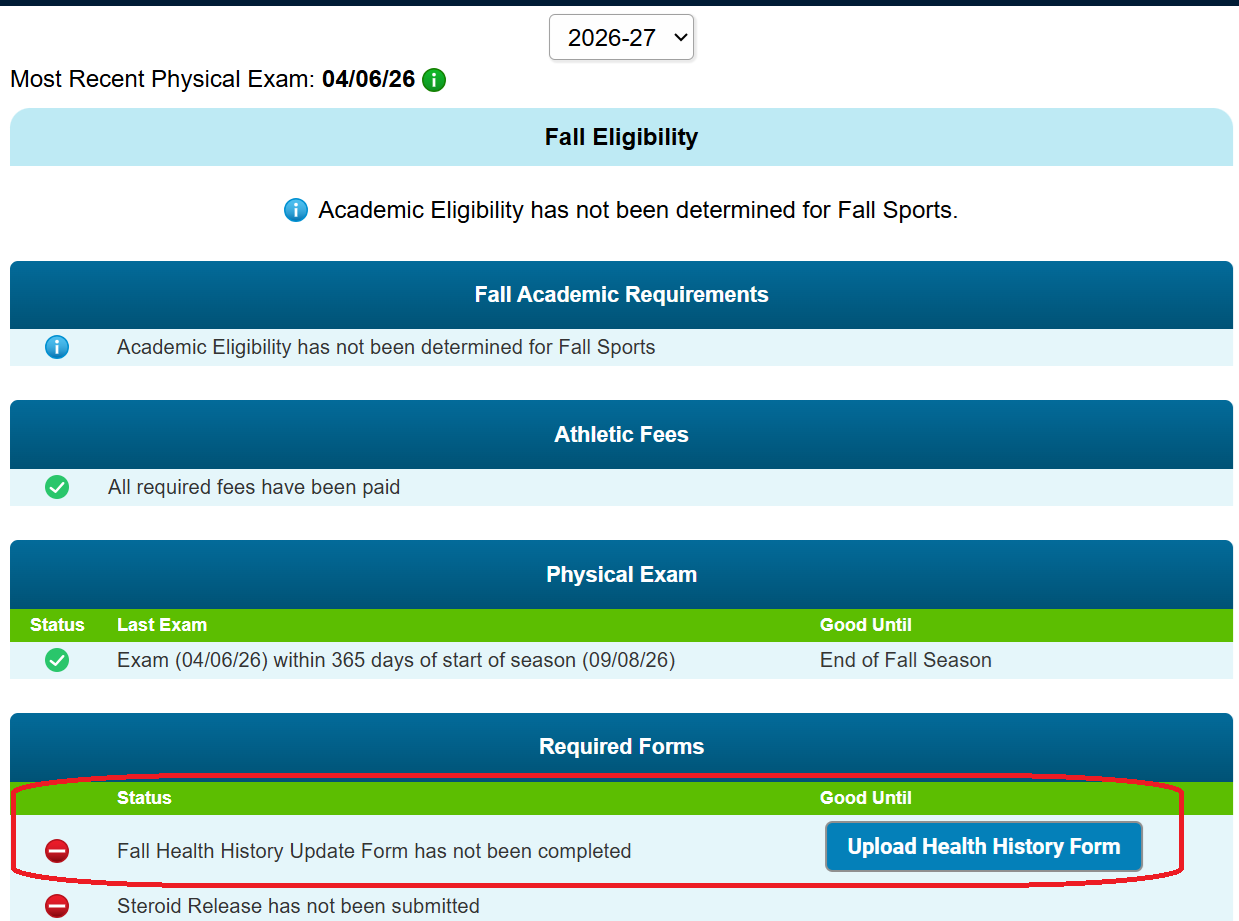
- This controls whether parents/guardians in the Parent Module can upload the Health History Update Form. It can be used as a switch to turn the capability on/off. When the checkbox is checked, if all other criteria are fulfilled, the parents will see an "Upload Health History Form" button:
- If there is no checkbox, that is, if the checkbox does not appear, a red X icon will appear:
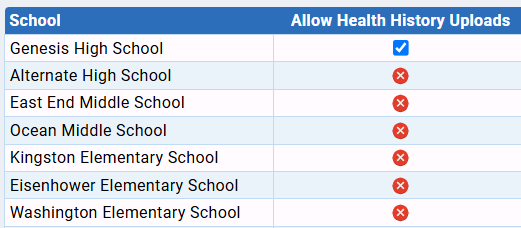 The tooltip for the red X specifies that '"'No Status' is accepted as a valid status. Health History Forms cannot be uploaded if 'No Status' is an accepted value." What this means is that a "blank" is in the student's Health History Update Form Status field is sufficient (though blank) to statisfy the student's Health History Update Form eligibility status requirement. More is explained below.
Automatically Updating Health History Form Status on Upload
Sport Participation Records, the Health History Update Form & Eligibility
On their Student Data->Modify Student->Athletics->Exams and Participation screen, students have a "Participation Record" for every season of every sport they have particpated in at any level (including simply trying out). Each participation record includes a "Health History Update Form" section:
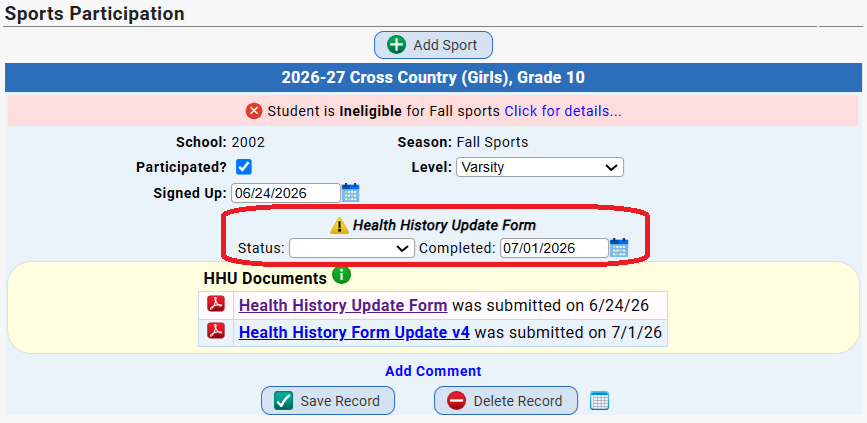
NJ requires thata, to be eligible to participate in a new/upcoming sports "season", a Health History Update Form be provided if the student has a valid physical examination on file but it is older than 90 days. The Health History Update Form fields must be updated with a valid status and date to meet eligibility requirements:
These two fields, the "Status" field and the "Status Date" (i.e. 'Completed') field, can be automatically updated when a parent uploads a Health History Update Form from the Parent module's Athletics tab.
The "On Upload, Change HHU Status to" Parameter
This parameter, if set, specifies what to set the "Status" field to in the Participation record:
The "On upload, change HHU Status to" parameter controls what the "Status" field gets set to if a parent uploads a Health History Update Form:
- If the field is left empty, the Status field is not updated. Nothing happens to it.
- If one of the options in the drop down is selected, the Status field is set to the selected status.
The Options in the On Upload, Change HHU Status to Drop Down
The drop down presents several options, including a "blank" which turns off the option:
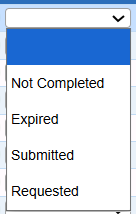
Where to do these options come from?
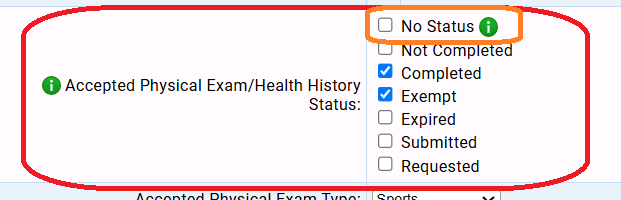
On the Athletics->Setup->Eligibility screen for the school, there is an "Accepted Physical Exam/Health History Status" set of checkboxes:
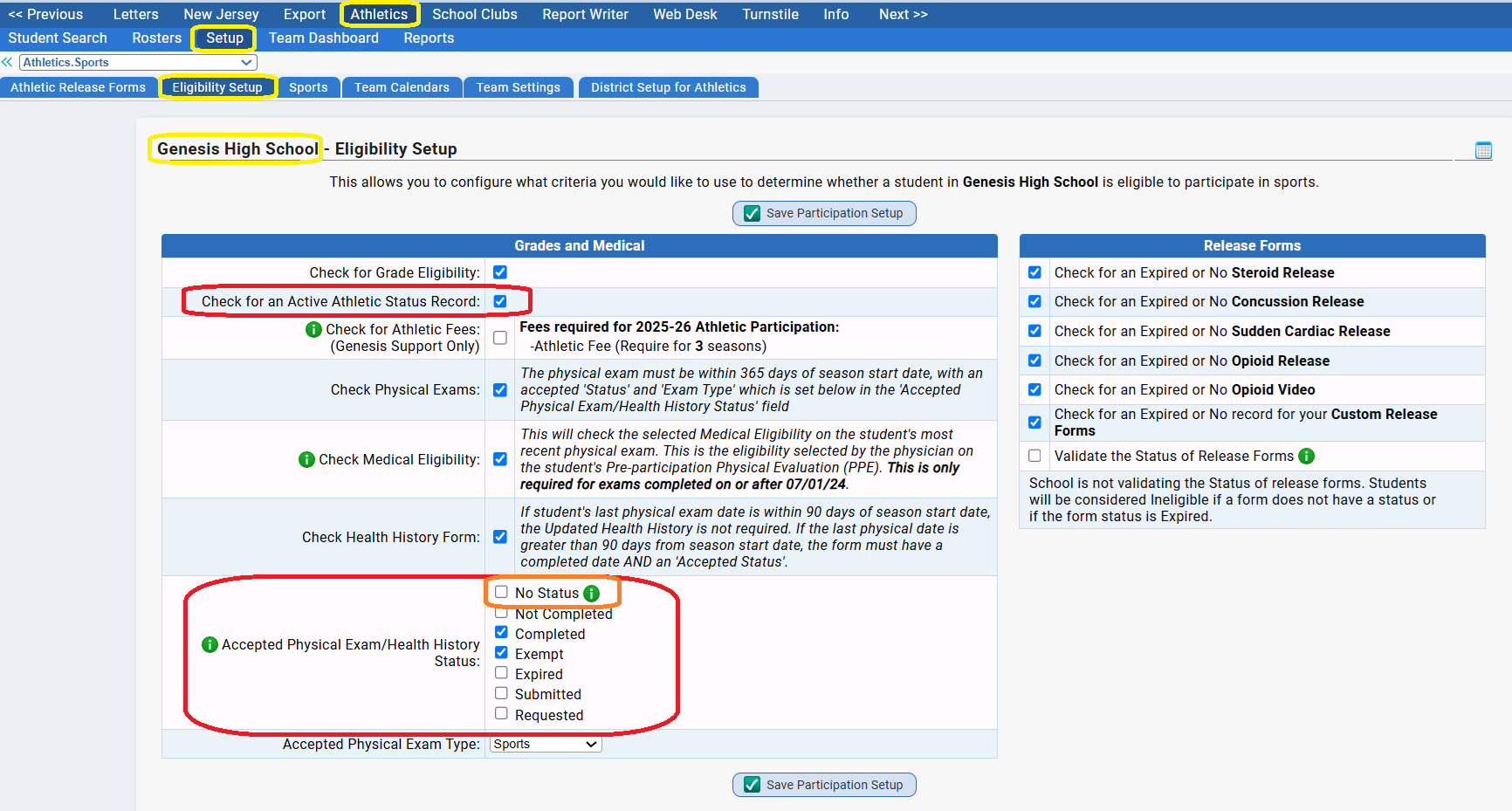
These checkboxes have several uses:
- They are all of the possible "Health History Update Form" statuses - the only things that can appear in the Health History Update Form Status field. Any one of them can always be manually selected.
- The ones that are checked ('Completed' and 'Exempt' in the example above) are the status settings that statisfy eligibility: if the student has one of those, their Health History Update Form eligibility has been satisfied. If the student has any of the others, they are ineligible.
- The UNCHECKED options are status settings that DO NOT satisfy eligibility - these are the only ones which will appear in the drop downs on the Parents->Setup->Settings->School Settings->Athletics screen. WHY? Why only the options that do NOT satisfy eligibility are allowed? Because the Health History Update Form cannot be automatically approved without someone looking at it and manually approving it. It is a medical form and it must be inspected before being approved.
- The "No Status" option is special and is treated differently: "No Status" here means "blank". If it is checked, then a blank Health History Update Form status field means the student is eligible! If it is checked, uploads of the Health History Update Form are strictly prohibited. Checking "No Status" results in the "Red X" in the 'Allow Health History Uploads" parameter.
The "On Upload Change HHU Status Date to Upload Date" Parameter
If this parameter is checked, it simply means that if a parent uploads a Health History Update Form, the "Health Status" (i.e. "Completed") date field will be set to the date the form was uploaded. There are no special controls on this.
Requiring Manual Approval for Health History Update Forms
The system is designed to allow the status for Health History Update Forms to be automatically updated upon upload by parents - but not to a status which would indicate "reviewed and the student found to be eligible". Forms cannot be automatically approved. As noted above, the NJ DoE Health History Update Form is a medical form and cannot be automatically approved. It must be reviewed by a staff member and manually approved. Simply uploading it does not establish "eligibility".
Nurses - or whomever reviews and approves Health History Update Forms - should subscribe to the "Document UploadgenMessage that will alert them when a Health History Update Form is uploaded.
Was this article helpful?
That’s Great!
Thank you for your feedback
Sorry! We couldn't be helpful
Thank you for your feedback
Feedback sent
We appreciate your effort and will try to fix the article