We added a new Named Search Feature.
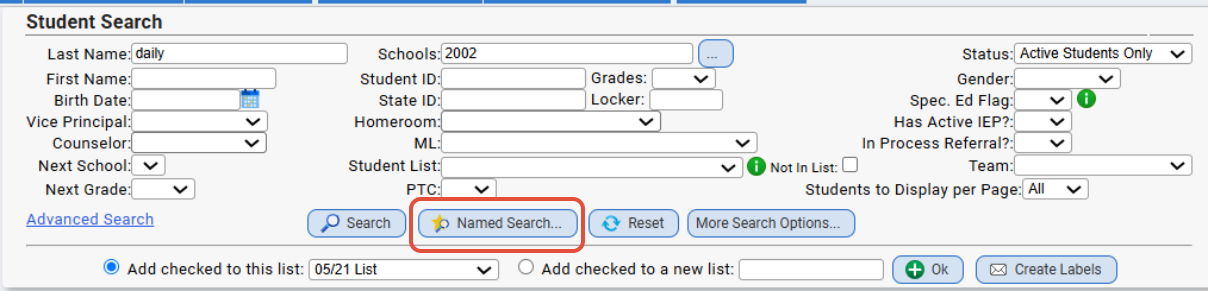
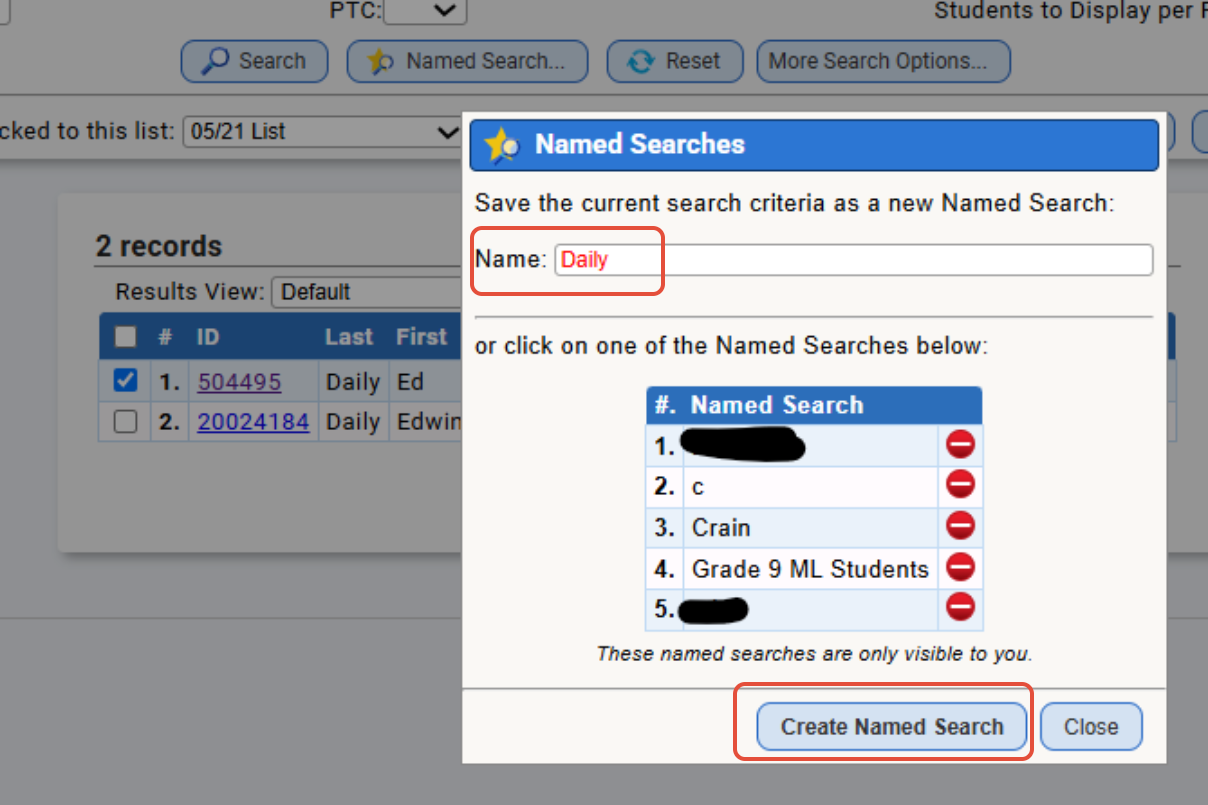
• This button sits in between the Search and Reset buttons and allows users to save searches. Simply fill out the search form and click search as usual, then click on the Named Search button. Type in a name for the search and click Create Named Search. Users will then be able to use the Named Search button to click on any of their saved searches, and the search form will automatically populate and search for results.
• Named Searches are only visible to the users who create them.
Example from the Student Data>Student List>Student Search screen:
Was this article helpful?
That’s Great!
Thank you for your feedback
Sorry! We couldn't be helpful
Thank you for your feedback
Feedback sent
We appreciate your effort and will try to fix the article